Tips for Creating a Productive Home Office Environment
Creating a home office that fosters productivity can make a significant difference in your work-from-home experience. Whether you work remotely full-time or occasionally need a dedicated space for tasks, a well-designed home office helps enhance focus, reduce distractions, and keep you motivated throughout the day.
In this post, we’ll explore practical tips to create a productive home office environment that supports your best work.
Choose the Right Location
Finding the ideal spot for your home office is the first step. If possible, select a quiet area away from household traffic and noise. This helps minimize interruptions and lets you focus more easily.
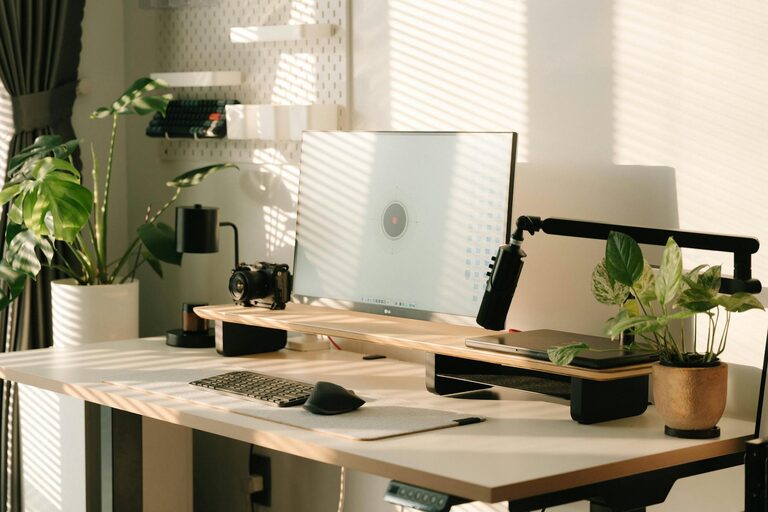
Look for a space with natural light, as sunlight can improve mood and energy levels. If natural light is limited, consider using full-spectrum bulbs that mimic daylight to keep the room bright and inviting.
Invest in Comfortable and Functional Furniture
Comfort directly impacts your productivity. An ergonomic chair with proper lumbar support and a desk at the right height help prevent discomfort and fatigue.
Here are some furniture tips:
– Choose a desk with enough surface area for your computer, notes, and necessary tools.
– Use an adjustable chair that supports good posture.
– Consider a standing desk or a convertible desk to switch between sitting and standing during the day.
– Add a footrest if needed to maintain comfortable leg positioning.
Keep Your Workspace Organized
Clutter can be distracting and stressful. Keep your desk tidy by storing items you don’t use daily in drawers or shelves.
Try these organization ideas:
– Use drawer organizers to separate smaller items like pens and paperclips.
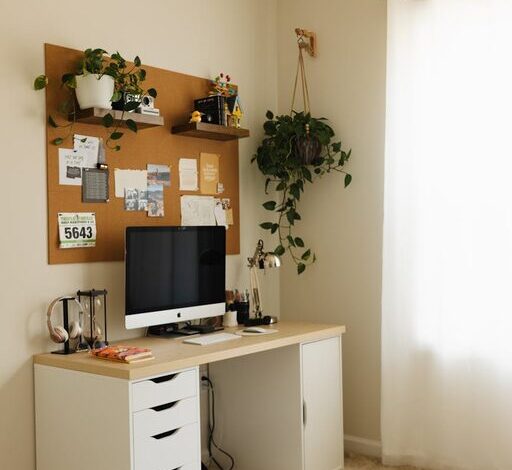
– Install shelves or wall organizers to free up desk space.
– Use cable management tools to keep wires neat and prevent tangling.
– Regularly declutter your office to remove unnecessary papers and supplies.
Create a Personalized and Inspiring Atmosphere
Adding personal touches can increase your enjoyment of the workspace and motivate you to spend time there. Decorate your office with items that inspire and relax you.
Consider adding:
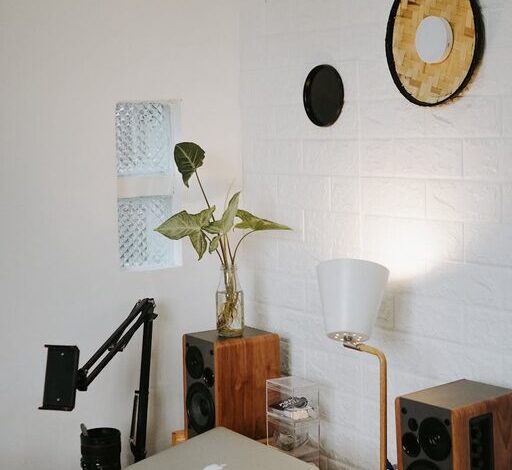
– Plants to bring a touch of nature and improve air quality.
– Artwork or photographs that make you happy or reflect your interests.
– A mood board or calendar to track goals and deadlines visually.
– Soft lighting options like desk lamps or fairy lights for a cozy feel.
Minimize Distractions
Distractions can derail your workflow. Identify common interruptions in your home and find ways to reduce them.
Some strategies include:
– Using noise-canceling headphones or white noise machines to block out background sounds.
– Setting boundaries with family or roommates about your work hours.
– Turning off unnecessary notifications on your phone or computer.
– Keeping your workspace separate from leisure areas if possible.
Optimize Technology Setup
Reliable technology is crucial for efficient work. Ensure your computer, internet connection, and other devices are up to the task.
Tips for tech optimization:
– Use a high-speed internet connection to avoid lag.
– Invest in a good quality webcam and microphone if you attend virtual meetings.
– Keep your software and hardware updated to prevent technical issues.
– Backup important files regularly to avoid data loss.
Establish a Routine and Take Breaks
Creating a schedule helps your brain switch into work mode and maintain productivity. Plan your work hours and stick to consistent start and finish times.
Remember to:
– Take regular breaks to rest your eyes, stretch, and recharge.
– Use techniques like the Pomodoro method—working for 25 minutes, then taking a 5-minute break.
– Stay hydrated and snack healthily to maintain energy levels.
Consider Lighting and Temperature
Lighting and temperature influence focus and comfort significantly.
– Adjust lighting so that it’s bright enough without causing glare on screens.
– Use adjustable blinds or curtains to control sunlight throughout the day.
– Maintain a comfortable room temperature (typically between 68-72°F or 20-22°C) to stay alert without feeling too warm or cold.
Keep Your Workspace Clean
A clean space promotes clarity and professionalism.
– Wipe down surfaces regularly.
– Vacuum or sweep floors to reduce dust.
– Clean computer screens, keyboards, and other equipment to ensure hygiene and functionality.
Final Thoughts
Building a productive home office environment takes a little effort but pays off in better focus and job satisfaction. By choosing the right location, organizing your space, and optimizing comfort and technology, you can create a workspace that helps you thrive in your remote work or home projects.
Remember, the best workspace works for you—feel free to adapt these tips to suit your needs and preferences. Happy working!